Phishing & impersonation
Practice independent verification when a message asks for a sign-in, document, payment change, or unusual exception.
For HR & security awareness teams
An unfamiliar link. An urgent request. A reason to pause. Turn approved security guidance into short learning games your team can join from any browser.
Free plan available · No employee accounts needed
Make awareness participatory
A security reminder tells employees what matters. A question-based game asks them to choose what they would do next.
Use fictional situations to revisit suspicious requests, reporting routes, and company procedures. HR organizes the session; your security owner approves the guidance and helps explain the decisions.
Explore the security awareness activity guideA short practice sample with fictional workplace situations. Your answers stay in this page and are not saved.
The procedure in this example requires an independent check. A familiar name or a reassuring reply in the same conversation does not verify the request. Use the known contact route and follow the approved reporting procedure.
You do not need to investigate the message yourself. In this example, the approved route is designed for uncertainty. Reporting gives the security team a chance to assess it without asking coworkers to interact with the message.
Urgency and seniority do not replace the procedure. Established contact details give you an independent route to verify the request. Details supplied in the suspicious message are part of the request being checked.
Practice complete
In a team session, missed questions can start a useful conversation. Review the reasoning together, then revisit the concepts that need more practice.
This sample checks three decisions. It is not a certification or a measure of workplace readiness.
This page demonstrates sample questions and feedback. Explore the game formats below to see BrainFusion gameplay.
Focus on everyday choices
Practice independent verification when a message asks for a sign-in, document, payment change, or unusual exception.
Check whether employees know the approved reporting route and what to do when they are uncertain.
Reinforce your guidance on account protection, approved sharing, device updates, and handling company information.
Plan your October sessions
Choose one approved topic each week: verifying unusual requests, reporting uncertainty, protecting accounts, and revisiting missed concepts. Run a short game, discuss the answers, and use the results to plan follow-up.
Keep the page in your toolkit after October. The same format works for new hires, team refreshers, and policy updates.
Explore the official awareness month resourcesFrom guidance to game
Agree on a topic and approved action with your security owner. Keep examples fictional.
Create questions manually or draft them with AI. Have your security owner verify the content.
Share a session code. Employees join in a browser on their laptops, tablets, or phones.
Identify missed concepts, explain the approved procedure, and revisit it in a later session.
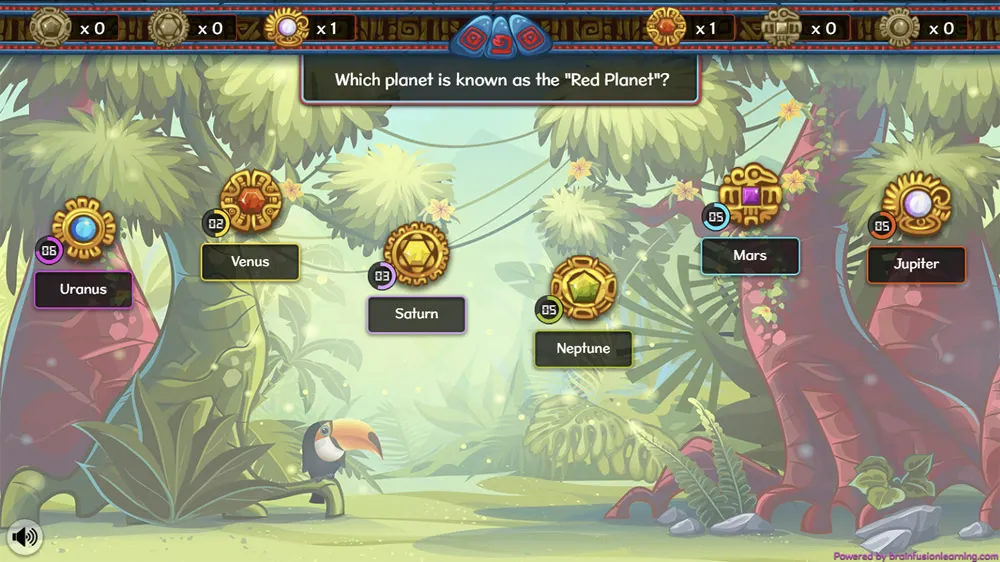
A format your team can play
Explore Artifact Adventure, Quiz Quest, and the other BrainFusion game types. Keep the learning content focused on your approved procedures while giving employees an active way to answer questions.
Question-level results help you spot what needs another explanation. Pair the game with discussion and practical follow-up from your security team.
Explore Artifact AdventureA clear role in your program
BrainFusion provides question-based reinforcement. It does not send phishing simulations, monitor employee behavior, or certify compliance. Keep your existing security training, reporting, and recordkeeping processes in place.
Use your security owner's approved procedures when adapting scenarios. The FTC's small-business cybersecurity resources offer additional background for planning.
Before your first session
Cybersecurity awareness games give employees practice with security-related questions and decisions. With BrainFusion, trainers can turn approved security guidance into browser-based learning games and review question-level results afterward.
Yes. Build short review sessions around approved topics for October, then reuse or update them during onboarding and later refreshers. The sample on this page is a starting point for discussion, not a ready-made security training program.
No. These are question-based learning games. BrainFusion does not send simulated phishing emails, test employee credentials, or monitor security behavior.
Your security owner or IT provider should check the guidance, answers, reporting routes, and exceptions before a session. HR can coordinate the audience, format, and follow-up.
No learner account or installation is required to join a game with a session code in a browser. Trainers need a BrainFusion account to create and manage games.
No. Question-level results can identify concepts to revisit, but they do not prove security behavior, regulatory compliance, or completion of a required training program. Use BrainFusion alongside your organization's security training and recordkeeping processes.
Keep the practice going
Start with one everyday decision
Bring your approved questions. Give employees a reason to participate.