Approved tools & data
Practice which tools may be used for a task and which information belongs outside them. Adapt every answer to your organization's rules.
For HR & learning teams
Your AI policy has a purpose. Help employees put it into practice with short, question-based games built from your approved guidance.
Free plan available · Employees join with a code
From awareness to practice
AI literacy includes knowing where AI can help, where it can go wrong, and when human judgment matters. A short game gives your team a way to revisit those decisions after a workshop or policy update.
Use BrainFusion for onboarding, manager-led refreshers, or follow-up to an AI literacy course. Bring your own approved questions, or use AI to draft a set that you review before sharing.
See how to write useful knowledge checksA short practice sample with fictional workplace situations. Your answers stay in this page and are not saved.
In this example, approval covers public information only. Account details remain restricted even without a name. A fictional example lets you explore the task without sharing the customer's information.
A confident answer or a source link is not proof. Open the original source, check that it supports the statistic, and compare the draft with current approved product information.
The review requirement still applies when a draft looks good or a deadline is close. Follow the company's approved escalation route. An AI tool cannot take the place of the required reviewer.
Practice complete
In a team session, missed questions can start a useful conversation. Review the reasoning together, then revisit the concepts that need more practice.
This sample checks three decisions. It is not a certification or a measure of workplace readiness.
This page demonstrates sample questions and feedback. Explore the game formats below to see BrainFusion gameplay.
Build around your workplace
Practice which tools may be used for a task and which information belongs outside them. Adapt every answer to your organization's rules.
Ask employees what they would verify before using an AI-generated claim, reference, summary, or recommendation.
Revisit who owns the final decision, when approval is needed, and where employees should take an uncertain situation.
Your content, in play
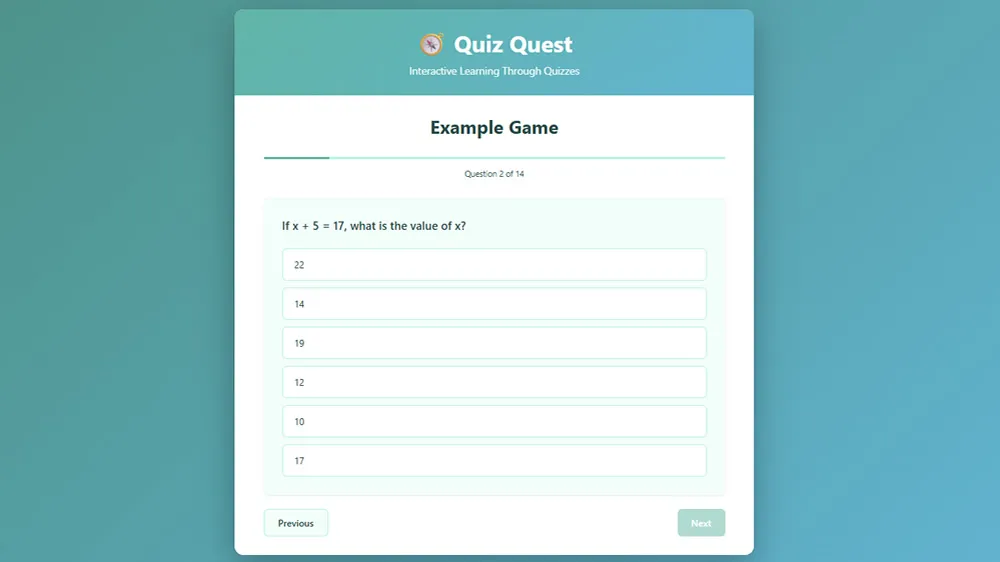
Choose a focused format like Quiz Quest, or explore BrainFusion's 9 playable game types. Employees answer questions and receive immediate right-or-wrong feedback.
After the session, use question-level results to choose what to explain again. Discuss the reasoning behind each decision and follow up with practice in the approved tools.
Explore Quiz QuestA simple trainer workflow
Pick one policy excerpt, audience, and decision to practice. Use material authorized for the tool.
Write your own or generate a draft with AI. Check every answer against the source.
Employees join through their browsers. No learner account or installation is needed.
Review question-level results, explain missed concepts, and plan the next practice session.
A practical role in AI literacy
Games support recall and discussion alongside instruction, hands-on practice, and your organization's review processes. They do not certify AI proficiency or establish compliance.
Review security and data handling before choosing content for a session. For broader planning, explore NIST's voluntary AI Risk Management Framework.
Understand the evidence
Use a scored session from your trainer account for saved results. The public knowledge check above is a content preview: its answers stay in page memory and do not create an employee report.
Learners enter their own display names without a learner login. Names are not checked against an employee roster. Different people can submit the same name, and one person can use different names. A shared device or team answer also cannot establish each individual's understanding.
The leaderboard and headline summary group by submitted name and select its best-ranked result. Missed-question statistics count stored responses across submissions, so repeated attempts can affect the totals. Some formats separate the initial round from optional practice or review; other formats include repeated responses. Do not interpret every response as a different employee.
You can print reports and export a session as a .bfsess file. That export includes its name, format and active flag, plus the stored result and question-response fields above; it is not a signed attendance certificate or a complete training audit record. Keep your approved source version, instruction delivered, verified participant mapping, required sign-offs and facilitator assessment in your designated record system.
Results support a discussion about what to revisit. They do not establish identity, workplace competence, regulatory compliance or certification. Plan a knowledge check and its follow-up.
Before your first session
AI literacy training games ask employees to practice decisions about AI use, such as protecting information, checking outputs, and following review rules. BrainFusion lets trainers turn their own approved guidance into question-based learning games.
Yes. Start with an approved policy excerpt, a training objective, or your own questions. You can draft questions with AI or enter them manually. Have the policy owner check the answers before sharing, and use only material your organization permits in the tool.
Employees can join a BrainFusion game in their browser with a session code, without creating learner accounts. The trainer needs an account to create and manage games.
No. Use these games to reinforce instruction and start discussion. They do not provide a certification, establish regulatory compliance, or assess every hands-on skill involved in using AI at work.
A saved scored-session result records the submitted display name, score, maximum possible score, optional completion duration, server-recorded submission time and game type. When the game supplies question responses, these include question text, submitted answer, correctness, order and round. Reports help choose follow-up practice; a correct answer does not prove safe AI use at work.
No. Learners join with a session code and a self-entered display name, without a learner login or employee identifier. Someone else can use the same name, and one person can use different names. Leaderboards group by the submitted name and show its best-ranked result. Keep verified identity, attendance, policy sign-offs and certification records in your designated system.
No. This page's sample keeps answers in page memory and does not create a scored-session result. To collect saved results, create a game and scored session from your trainer account. The facilitator still checks explanations and hands-on skills separately.
Yes. The free plan includes a five-game limit and three one-time AI generation credits. One successful AI game generation uses one credit. See pricing for current plan details.
Keep building your program
Make the next policy update participatory
Start with one approved topic and build your first AI literacy training game.