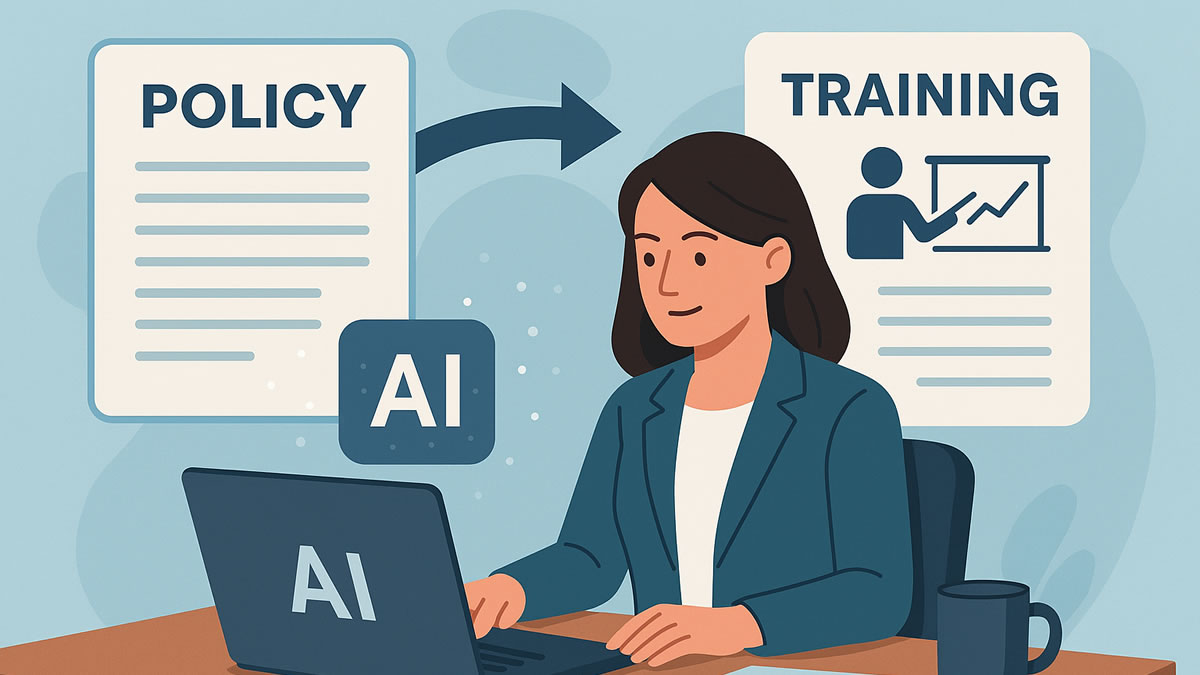
Most companies already have the raw material for employee training. It lives in policy manuals, standard operating procedures, onboarding guides, product documentation, safety instructions, and internal playbooks.
The missing piece is not information. It is a reliable way to turn that information into practice, feedback, and evidence that helps managers see what employees understand.
To turn company documents into employee training, start with one approved source, define the decisions employees must be able to make, use AI to draft questions and scenarios, require a subject-matter review, deliver the material as short interactive practice, and send any required completion data to the appropriate system of record.
AI can accelerate the first draft. It should not decide what company policy means, certify compliance, or replace the people accountable for the training.
This guide shows HR, L&D, compliance, and operations teams how to build that workflow, where gamified employee training helps, and when HRIS training integration or custom development becomes necessary.
A Company Document Is a Source, Not a Course
A PDF or Word file is usually organized for reference, legal precision, or process control. Employee training has a different job. It must help a defined audience recognize situations, make decisions, perform steps, and know when to ask for help.
That means document-to-training software should do more than summarize a file.
| Source Material | Useful Training Output |
|---|---|
| Employee handbook | First-week decisions, policy scenarios, and escalation questions |
| Standard operating procedure | Step-order checks, exception scenarios, and practice cases |
| Safety manual | Hazard recognition, required actions, and supervisor follow-up |
| Product documentation | Customer-fit questions, troubleshooting choices, and release refreshers |
| Security policy | Phishing, data-handling, access, and incident-reporting scenarios |
| Customer-service playbook | Conversation choices, escalation paths, and quality standards |
The document remains the authority. The training is a reviewed interpretation built to help employees use it.
For a policy-specific workflow, see Using AI to Build Training Quickly From Existing Policies.
How to Turn Company Documents Into Employee Training in Seven Steps
The following process works whether you are creating a five-minute refresher or planning a larger AI employee training platform.
1. Choose One Approved Document and One Accountable Owner
Do not begin by uploading an entire shared drive. Start with one source whose status is clear.
Confirm:
- The document is current and approved
- A named content owner can resolve questions
- The affected roles or teams are known
- Superseded versions will not be used
- The training goal is more specific than “read the policy”
- Any legal, safety, privacy, or regulatory review requirement is identified
For example, “train employees on the information-security policy” is too broad. “Help customer-support agents recognize when they may not send account data to an unverified address” gives the training a testable purpose.
2. Prepare the Source Before AI Processes It
Remove material that does not belong in the training workflow. This may include personal employee data, customer records, credentials, confidential contract terms, investigation details, or unrelated appendices.
Then check the file itself:
- Can text be selected and copied from the PDF?
- Are headings and lists extracted in the right order?
- Do tables still make sense without their visual layout?
- Does a scanned document need optical character recognition?
- Are diagrams or images essential to understanding the rule?
Before using any AI service, ask where uploaded content is processed, how long it is retained, who can access it, and whether the service may use it for model improvement. NIST's Generative AI Profile provides a cross-sector framework for identifying and managing generative AI risks across the lifecycle.
For BrainFusion, a trainer can paste approved source text, upload a text-based PDF, extract text from an image, or import an approved question bank from CSV. Word documents should be exported to PDF or reduced to the relevant approved text before use.
3. Convert the Document Into Learning Objectives
AI can identify themes, but the content owner should decide what matters.
Use this objective formula:
After the activity, the employee can [observable action] when [workplace condition] using [approved standard or process].
Examples:
- Choose the correct incident-reporting path after a workplace injury
- Identify when customer information requires additional verification
- Put the shutdown steps for a machine in the approved order
- Match a product limitation to the correct customer response
- Select the manager escalation path for a conduct concern
Objectives keep the AI from turning every paragraph into trivia. They also make review easier because each question should support a real workplace decision.
4. Generate a First Draft of Questions and Scenarios
Now use AI to produce a draft, not a finished course.
A useful prompt should specify:
- The approved source material
- The intended employee role
- The learning objectives
- The number and type of questions
- The desired difficulty
- The required feedback or explanation
- Topics the AI must not infer beyond the source
For example:
Using only the approved procedure below, create 10 multiple-choice questions for new warehouse supervisors. Focus on hazard recognition, the first required action, and escalation. Include four options, identify the correct answer, and explain it in one sentence. If the source does not answer a question, flag the gap instead of inventing an answer.
Include a mix of recall and application.
Weak question:
What is Section 4 called?
Stronger question:
A team member reports damaged protective equipment before a shift. What should the supervisor do first?
The stronger question tests whether an employee can use the document at the moment it matters.
5. Put Every AI-Generated Item Through a Human Review Gate
Human review is especially important for policy, safety, security, and compliance topics. AI can omit an exception, flatten an important distinction, or create a plausible answer that is not supported by the source.
Use a simple approval path:
| Reviewer | What They Verify |
|---|---|
| Document owner | Accuracy, current version, exceptions, and approved terminology |
| HR, L&D, or instructional owner | Clear objective, appropriate difficulty, useful feedback, and accessible language |
| Legal, compliance, safety, or security owner | Required controls, disclosures, records, and high-risk claims when applicable |
| IT or privacy owner | Data classification, vendor processing, access, retention, and integration design |
Reject any item that:
- Requires knowledge not contained in the approved source
- Has more than one defensible answer
- Uses an unrealistic scenario
- Trivializes a serious topic
- Tests obscure wording instead of an employee decision
- Provides feedback that conflicts with the source
6. Choose a Delivery Format That Supports the Objective
The best format depends on what employees need to do.
| Training Need | Practical Format |
|---|---|
| Learn a new process | Short walkthrough followed by step and exception questions |
| Apply a policy | Role-specific scenarios with explanatory feedback |
| Reinforce product knowledge | Fast knowledge checks and customer-fit decisions |
| Refresh safety procedures | Focused recall and hazard-response questions |
| Prepare a team for a change | Live game followed by manager discussion |
| Revisit material over time | Short follow-up activities using previously missed items |
Gamified employee training is useful when the game creates active recall, immediate feedback, and another chance to practice. It is not useful when points, speed, or a public leaderboard distract from the decision employees need to learn.
For sensitive subjects, consider individual or team-based practice without public ranking. For onboarding ideas, see Gamified Onboarding Activities for New Employees.
7. Review Results and Improve the Training
Completion answers one question: did the person finish the assigned activity?
Understanding requires different evidence:
- Which questions were missed most often?
- Which wrong answer attracted many employees?
- Did one role or location struggle with a specific decision?
- Was the source document itself unclear?
- Does the problem require revised training, better documentation, coaching, or a process change?
Use the results to improve both the training and the source material. If many employees choose the same wrong escalation path, the issue may not be motivation. The procedure may be ambiguous or difficult to find.
BrainFusion provides session summaries and question-level results that help trainers plan targeted follow-up. It does not turn a game score into proof that an employee is qualified, certified, or compliant.
Plan HRIS Training Integration Around the System of Record
An HRIS integration should begin with ownership, not technology.
Decide which system owns each record:
| Record or Action | Likely Owner | Common Exchange Pattern |
|---|---|---|
| Employee identity and employment status | HRIS or identity provider | API, scheduled CSV, or SCIM |
| Department, manager, role, and location | HRIS | API or scheduled file exchange |
| Training assignment and due date | LMS, HRIS, or compliance platform | API, automation workflow, or scheduled import |
| Course completion and certification | LMS or required compliance system | API, xAPI/cmi5, or controlled export |
| Game session and question-level results | Learning activity platform | Native report, API, or mapped export |
SCIM defines a standard protocol for managing user and group resources across systems. xAPI provides a way for learning activities to send structured learning records to a Learning Record Store. These are possible building blocks, not universal plug-and-play connections.
A practical integration design should answer:
- Which employees should receive the training?
- What stable employee identifier will systems share?
- Which role, department, location, or manager fields control assignment?
- Which results need to return to the HRIS, LMS, or compliance record?
- How will retries, duplicate records, employee departures, and document revisions be handled?
- Who can see scores or question-level results?
- How long will each record be retained?
For some safety standards, employers must retain particular training records. OSHA notes that requirements vary by standard and that electronic records can be acceptable when they contain the required information and remain accessible. Review the rules that apply to your organization rather than assuming any quiz dashboard satisfies them. OSHA's training compliance guidance and electronic certification interpretation are useful starting points, not legal advice.
Choose a Platform, a Custom Build, or a Hybrid
The right document-to-training software depends on the outcome you need.
Use a standard platform when you need:
- Fast question or activity creation
- Browser-based delivery
- Simple editing and reuse
- Session-level reporting
- A pilot before a larger technology project
Use an LMS or compliance platform when you need:
- Named assignments and due dates
- Persistent employee learning histories
- Certificates and renewal schedules
- Formal approvals and audit workflows
- A catalog of required courses
- Existing HRIS or identity integrations
Consider custom integration or a hybrid when you need:
- Role-based assignment from a specialized HRIS or ERP
- Branded or organization-specific learning workflows
- Data residency or security accommodations
- Results mapped into a proprietary reporting model
- Automation triggered by hiring, role changes, incidents, or document revisions
- Game-based practice alongside a formal LMS record
A hybrid is often the most practical design. Keep employee identity, required assignments, and compliance records in the systems that already own them. Add an engagement layer for interactive practice, then exchange only the data needed for the business workflow.
Where BrainFusion Fits
BrainFusion helps HR, L&D, compliance, operations, sales enablement, and training teams turn approved source material into browser-based learning games.
Teams can:
- Paste source text or upload a text-based PDF
- Extract source text from an image for review
- Use AI to generate a first draft of questions
- Import an approved question bank from CSV
- Edit questions and answers before employees play
- Deliver a session through a simple join code with no app installation
- Reuse one question set across six playable game formats
- Review session summaries and question-level results
BrainFusion is an active-practice and reinforcement layer. It is not an LMS, HRIS, compliance system of record, policy approval system, or replacement for required instruction.
The standard join-code workflow is designed for low-friction practice, not individual HR certification. If your project requires named assignments, due dates, certificates, renewals, automated provisioning, or HRIS write-back, treat those as integration or platform requirements during discovery.
For sales and support use cases, read Product Knowledge Training Games for Sales and Support Teams.
Document-to-Training Readiness Checklist
Before publishing the first activity, confirm that:
- The source document is current and approved
- A content owner is accountable for accuracy
- Learning objectives describe observable employee actions
- Sensitive or unnecessary data has been removed
- AI output is limited to the approved source
- Every question has one defensible answer
- Feedback explains the approved action
- The format matches the seriousness of the topic
- Accessibility and language needs have been addressed
- The correct system owns assignment and completion records
- Reporting fields and retention rules are documented
- A review trigger exists for policy or process changes
Start with one document, one employee group, and one measurable learning gap. A focused pilot will reveal more than a broad rollout built on assumptions.
Frequently Asked Questions
Can AI create employee training from a PDF?
Yes. A text-based PDF can be used to draft objectives, questions, scenarios, and feedback. Scanned PDFs may need text extraction or OCR first. A knowledgeable owner should compare every generated item with the approved source before publication.
What is the difference between an AI training tool and an LMS?
An AI training tool may help create or deliver learning activities. An LMS typically manages named learners, assignments, due dates, completion histories, and course records. Some products combine both roles, but buyers should verify each capability instead of assuming “AI employee training platform” means a complete system of record.
Can BrainFusion replace an HRIS or compliance platform?
No. BrainFusion is designed for creating and running interactive learning games and reviewing session results. Keep authoritative employee, assignment, certification, and compliance records in the systems responsible for them.
Can training results connect to an HRIS or ERP?
Potentially. The answer depends on the available APIs, export formats, identity model, security requirements, and the records that need to move. A custom integration may synchronize employee status or return selected results, while the HRIS, LMS, or compliance platform remains the system of record.
Should company documents be uploaded to a general AI service?
Only after the organization reviews the document's classification and the provider's contract, retention, access, model-training, and data-location terms. Highly sensitive material may require redaction, an approved enterprise service, or a workflow that does not send the source to a general-purpose model.
Turn One Approved Document Into a Useful Pilot
You do not need to rebuild the entire training program at once.
Choose one current document. Identify five to ten decisions employees must make. Generate a draft, review it with the content owner, run a short activity, and study the questions employees miss.
That creates a practical foundation for broader gamified employee training. It also gives HR, L&D, IT, and compliance teams real evidence for deciding whether the next step is a standard platform, an LMS workflow, HRIS training integration, or a custom solution.
Explore a document-to-training pilot
Tell us about the source documents, employee audience, reporting needs, and systems your training workflow must support.